Enable Codex device-code login
Turn this on before using Codex from your qozyai instance — your VM is headless, so it needs the device-code flow.
Open ChatGPT Security settings →
Opens in a new tab
If this opens the ChatGPT app, copy the URL and paste it into Safari or Chrome:
https://chatgpt.com/#settings/Security
Steps
- 1Open ChatGPT Security settings in a browser.
- 2Scroll to Secure sign in with ChatGPT.
- 3Turn on Enable device code authorization for Codex.
- 4Return to qozyai and continue Codex login.
What to look for
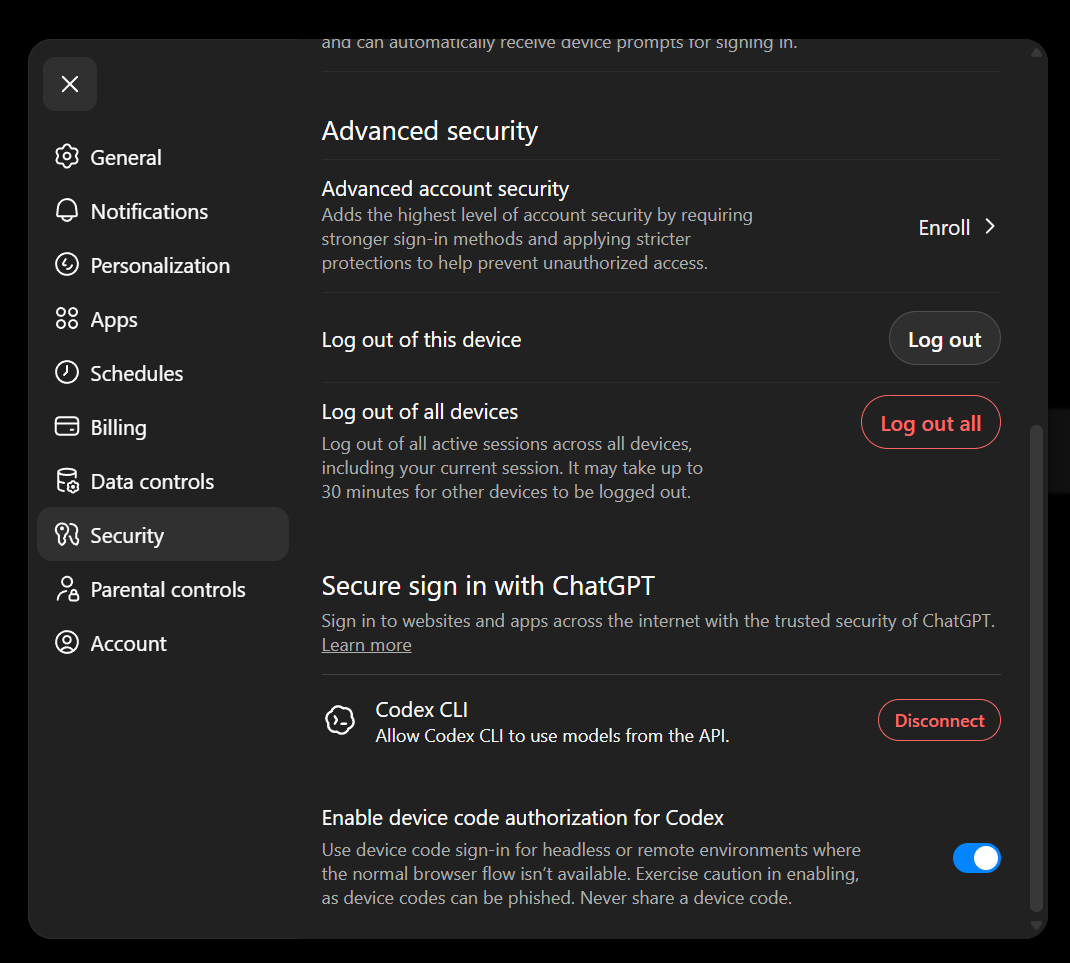
The toggle near the bottom of the Security panel.
If login fails
Check the same account. The device-code setting must be on for the same OpenAI account you used during Codex login. Multiple ChatGPT sessions in the same browser are easy to mix up.